Splitly
In a vibe off: Split the dinner bill without the awkward maths
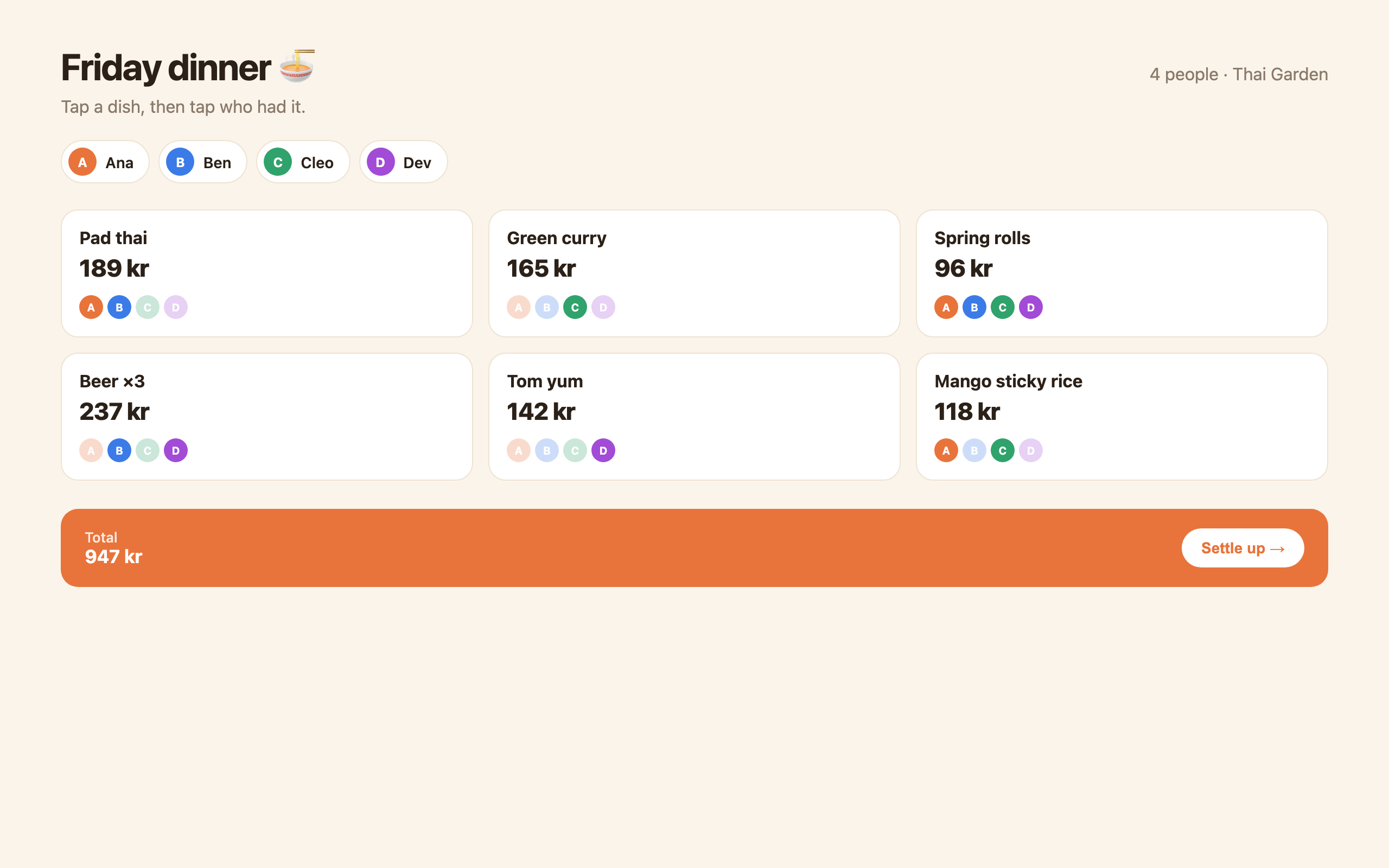
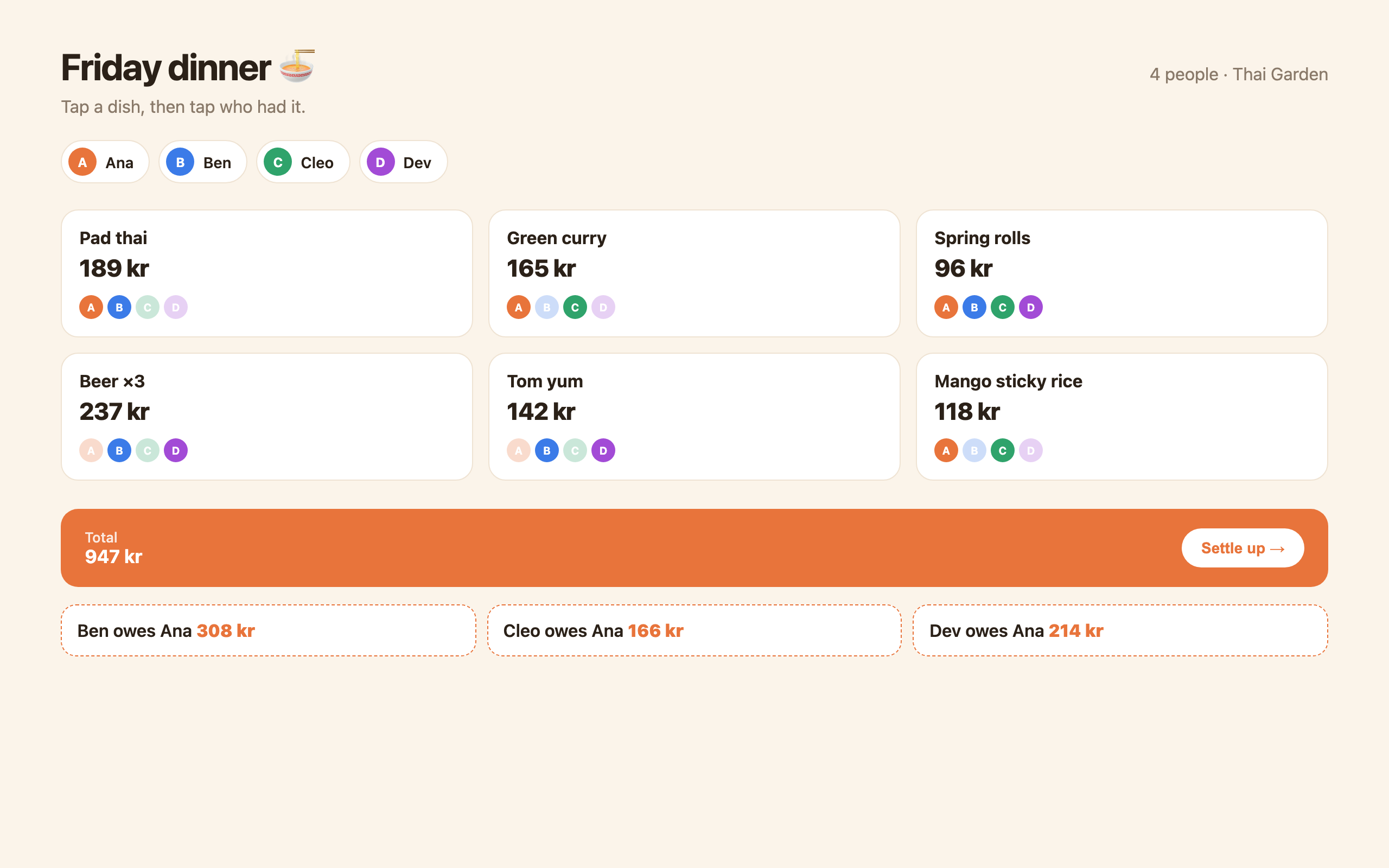
Tap each dish, tap who had it, and it tells everyone what they owe. Shared starters split themselves.
What made it work
Keeping everything as one list of dish, price and who. Every number on screen is worked out from it, so nothing gets out of sync.
The screens
Build your own version
Yours goes up next to @majaholm’s as a vibe off, and @majaholm is told. Credit for the idea stays with them.
How it was madeThe prompt, tools, time, what’s left to make it real.
What’s left to make it real
Save a table so friends can open the same link, Vipps request links, and a receipt photo that fills in the dishes.
- Made with
- Claude Code, HTML, Vanilla JS
- Took
- 2 hours
- How
- One prompt describing the dinner table, then about ten rounds of small changes in Claude Code. I asked for a single HTML file with no framework so it opens anywhere, and spent most of the time on the who-had-what chips.
- The prompt
- Make a bill splitter where each dish is a card and you tap people's initials to say who shared it. No sign-up, works offline, one HTML file.In Claude Code, HTML, Vanilla JSTook 2 hours
- Hard parts
- Shared dishes. Spring rolls split four ways and beer split two ways on the same bill needs a share per dish, not one average.
One other version of this
- Even
One big number: what each person pays. Bill, people, tip — and a line to paste straight into the group chat. — @jonasbuilds
Building on it rather than answering it? Post a remix and it links back here.
Share it
More builds
Post a buildEven
@jonasbuildsCursorvs @majaholmI built a floral weekly planner that doubles as a desktop wallpaper
@ajofClaude1 commentMyCaddie — a simple golf club picker that adjusts for wind
@fredrikht3011ChatGpt 5.51 commentI built a study app that quizzes me on my own notes
@tobias_gpClaude1 commentI pivoted my restaurant review web app to Android after an hour, and it ran on my phone 30 minutes later
@stewiikltGoogle Antigravity1 commentWe built Circles, a social app where every hobby gets its own look
@bmoobjectClaude1 comment
Comments
Nothing yet. Ask @majaholm how they got it to work, or say what you liked.
Sign in to comment — you come straight back here.