I built a floral weekly planner that doubles as a desktop wallpaper
I wanted a weekly planner I would actually open, so I built Rose and Ribbon: five weekday cards with appointments and a daily focus, saved locally and shared as a Lively desktop wallpaper. It now has reusable default plans per weekday with a per-day default or custom switch, and gently animated botanicals.
What made it work
Told it the feeling I wanted first - a planner that feels like a botanical wallpaper - before asking for features, then used several different clients to review and write editing prompts.
The screens
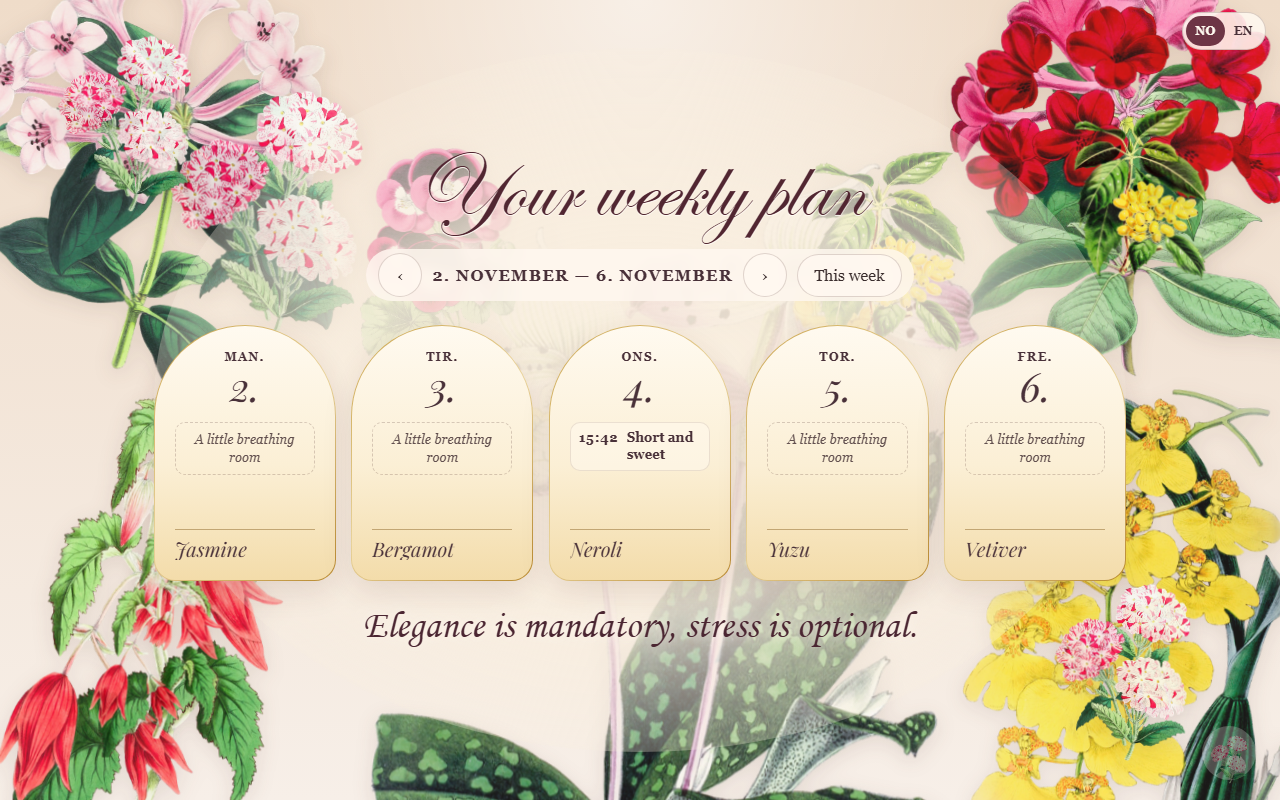
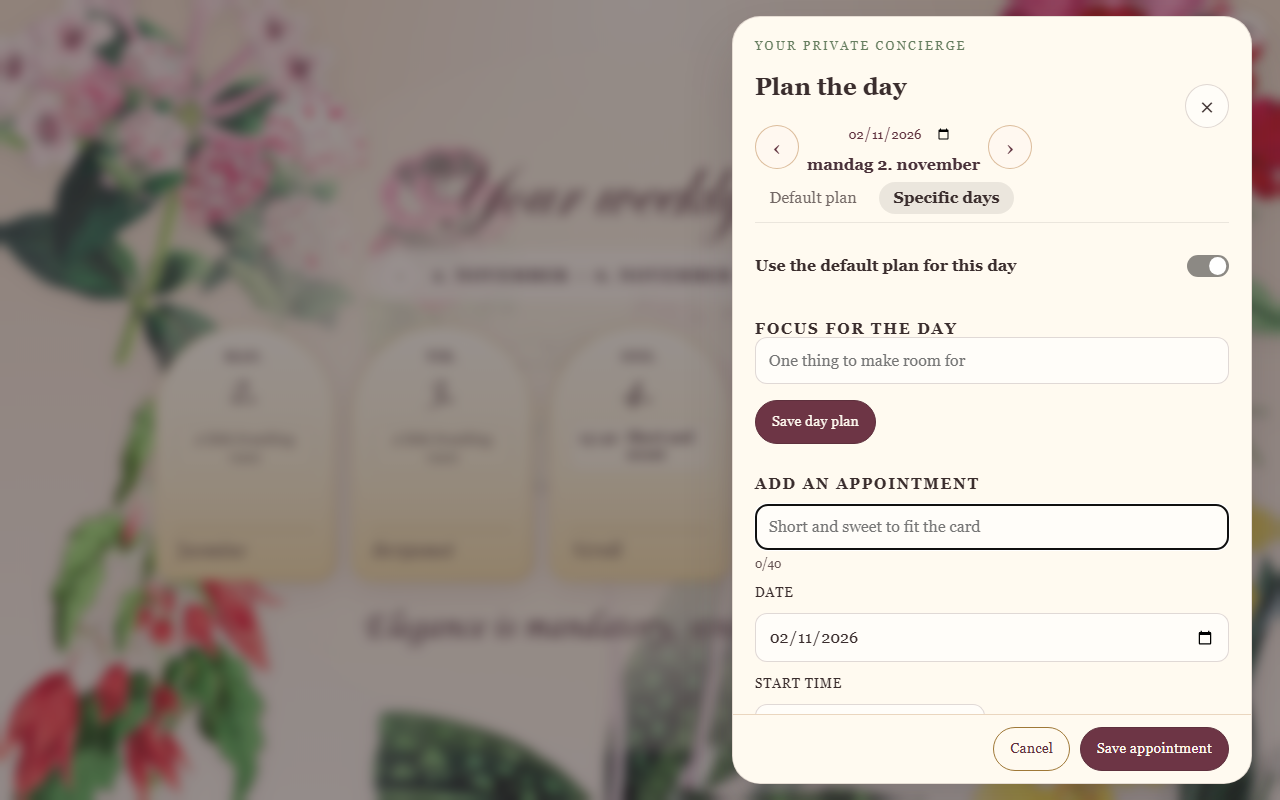
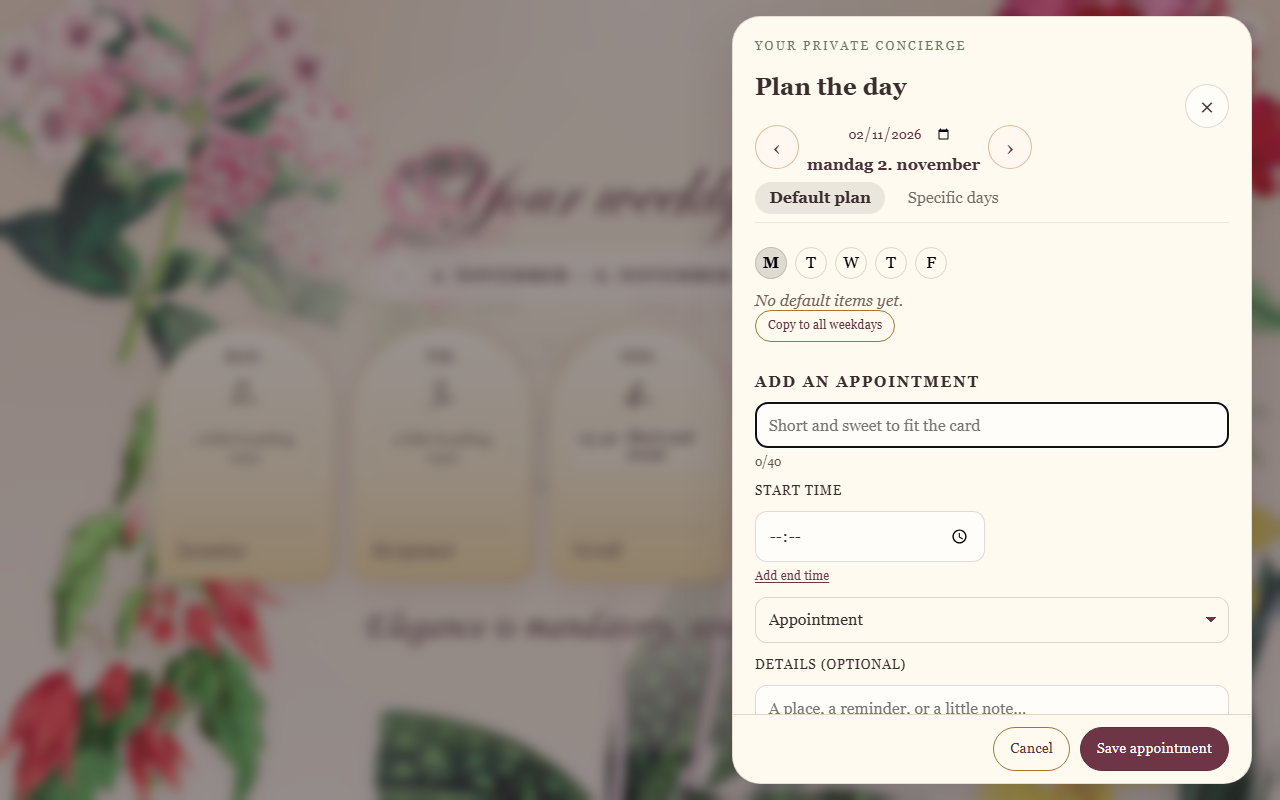
Build your own version
Yours goes up next to @ajof’s as a vibe off, and @ajof is told. Credit for the idea stays with them.
How it was madeThe prompt, tools, time, what’s left to make it real, links.
What’s left to make it real
Needs a real calendar integration (Google or Outlook) instead of manual entry, plus import/export and backup for planner-data.json. The weekend toggle and theme choices are still on the list. The server is Windows and PowerShell only and assumes Lively Wallpaper is installed. There are no automated tests.
- Made with
- Claude, ChatGPT, GitHub Copilot, PowerShell, Lively Wallpaper
- Took
- Too many hours, but fun learning :)
- How
- Claude and ChatGPT for the design and PRD, GitHub Copilot for implementation, served by a small PowerShell local API that syncs the same schedule to the Lively desktop wallpaper.
- The prompt
- Build a personal weekly planner that feels like a botanical wallpaper: five weekday cards (Monday to Friday), appointments with time and category, a daily focus, saved locally in planner-data.json, and the same selected week shared with a Lively desktop wallpaper.In Claude, ChatGPT, GitHub Copilot, PowerShell, Lively WallpaperModel Claude (Anthropic)Took Too many hours, but fun learning :)
- Hard parts
- Making sure the Lively Wallpaper app actually updated the data as it would in a browser. Understanding how to write prompts (and not write them). This is my first time, I have learned a lot. It is really hard not being a perfectionist.
- Try it
- Read the code
Building on it rather than answering it? Post a remix and it links back here.
Share it
More builds
Post a buildMyCaddie — a simple golf club picker that adjusts for wind
@fredrikht3011ChatGpt 5.51 commentI built a study app that quizzes me on my own notes
@tobias_gpClaude1 commentI pivoted my restaurant review web app to Android after an hour, and it ran on my phone 30 minutes later
@stewiikltGoogle Antigravity1 commentWe built Circles, a social app where every hobby gets its own look
@bmoobjectClaude1 commentI built FlowSync, a local-first productivity app where my AI assistant proposes changes instead of making them
@covertClaude Code1 comment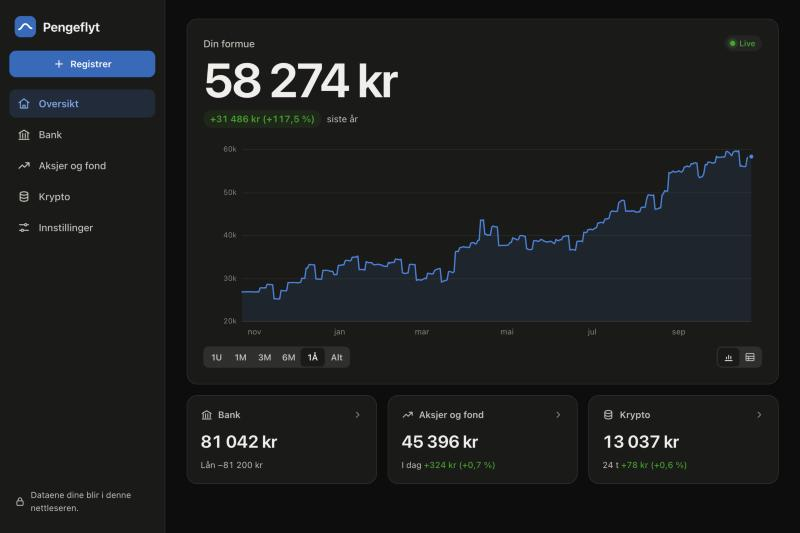
I built a Norwegian net-worth tracker that adds up my bank, stocks and crypto with live prices
@muhusClaude Code1 comment
1 comment
Annie Josefin Forsberg@ajofbuilder
If you have built a desktop wallpaper app, did you find a way to make separate pages for web browser and wallpaper?
Sign in to comment — you come straight back here.