I vibe-coded a group chat for my friends, with voice calls, GIF stickers it draws itself and an accessibility mode
For a school assignment on vibe coding, I turned down a dozen app ideas before settling on a chat app for my friend group. I steered Claude Code with short, often messy prompts and a few screenshots, and in about a day it became Gjeng: groups, friends and DMs, voice calls, profiles, privacy settings, themes, search, GIF stickers, password accounts and an accessibility mode. The demo runs on my laptop with seven made-up friends you can jump in as.
What made it work
- Short, messy prompts were enough: it was fast, and it understood what I meant even when I didn't say it well
- Showing beat describing: a screenshot of a call screen I liked, or arrows drawn on my own layout, became the feature
- Every feature came with tests in two real browsers, including a fake microphone to prove sound reaches the other person
- It screenshotted its own work after each change and caught layout bugs before I saw them
- Asking "should we?" instead of "do it" got honest answers, like why accessibility mode should use dark text on light
The screens
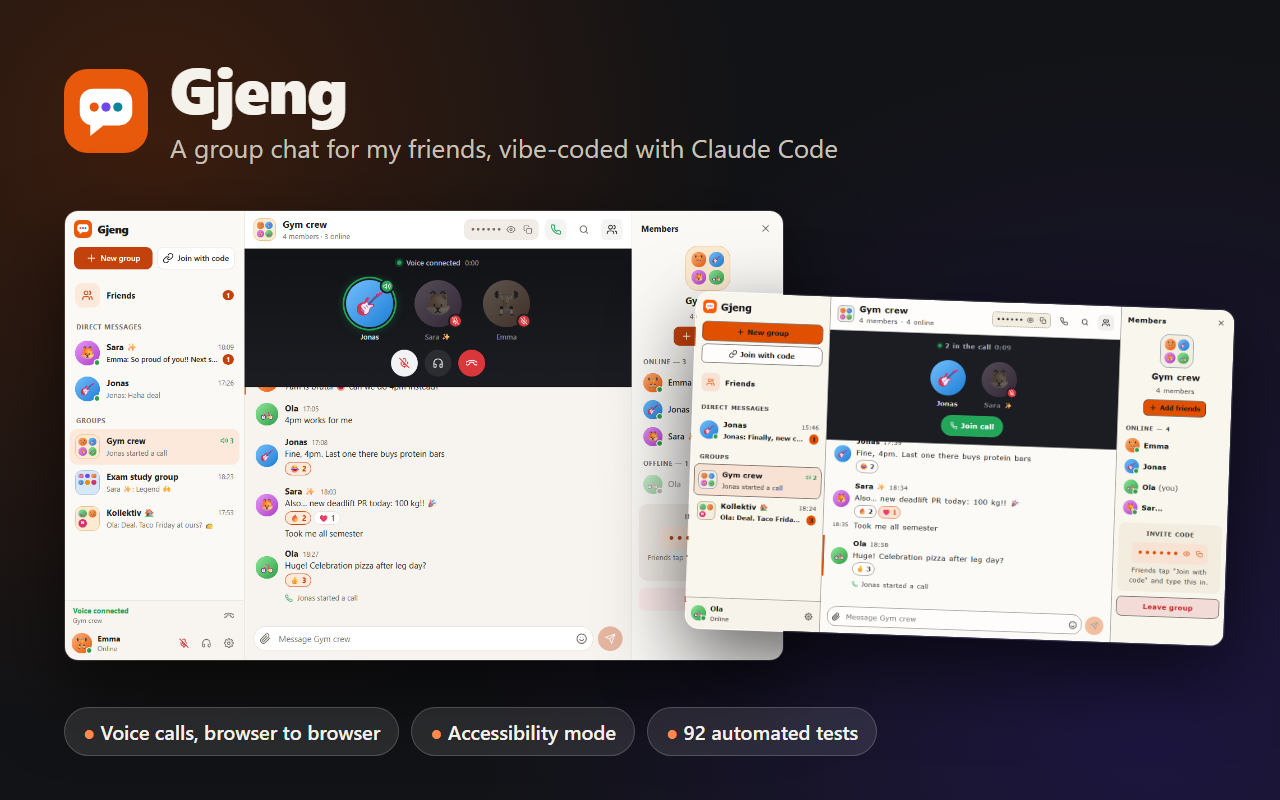
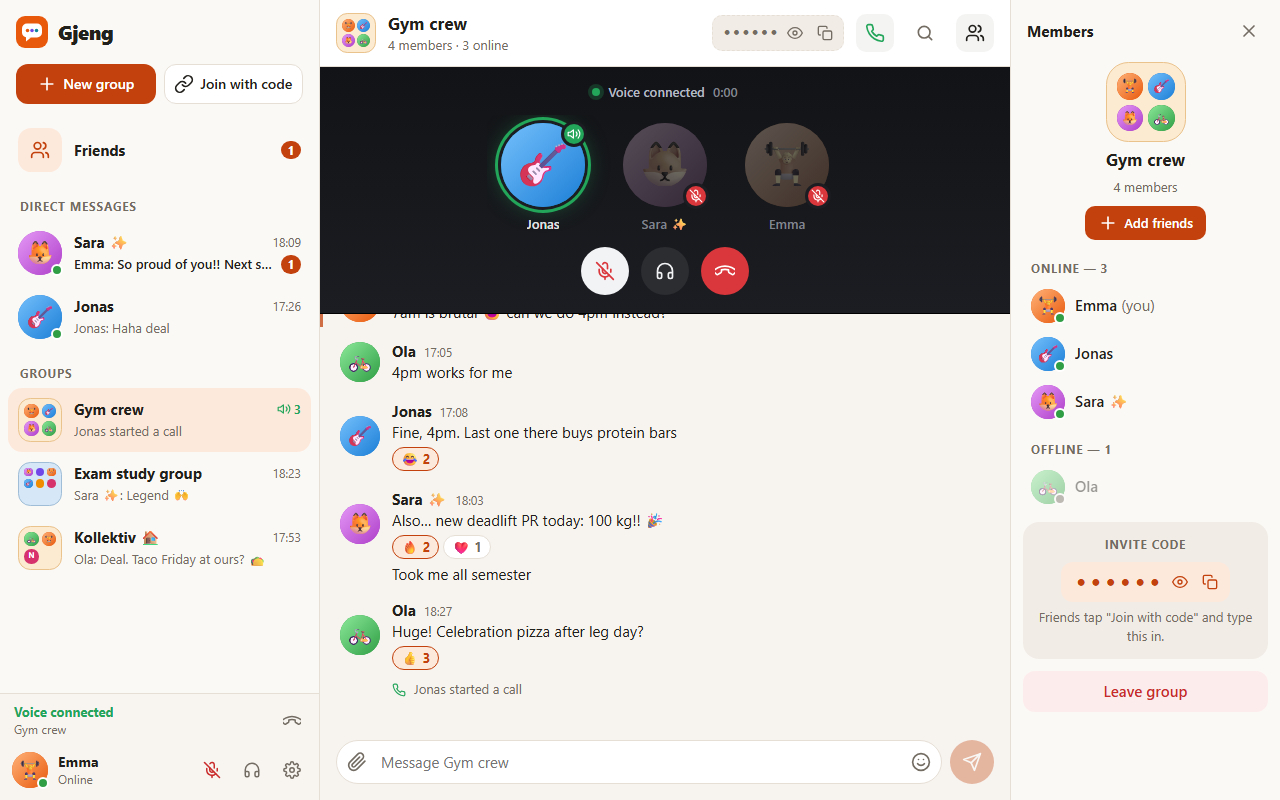
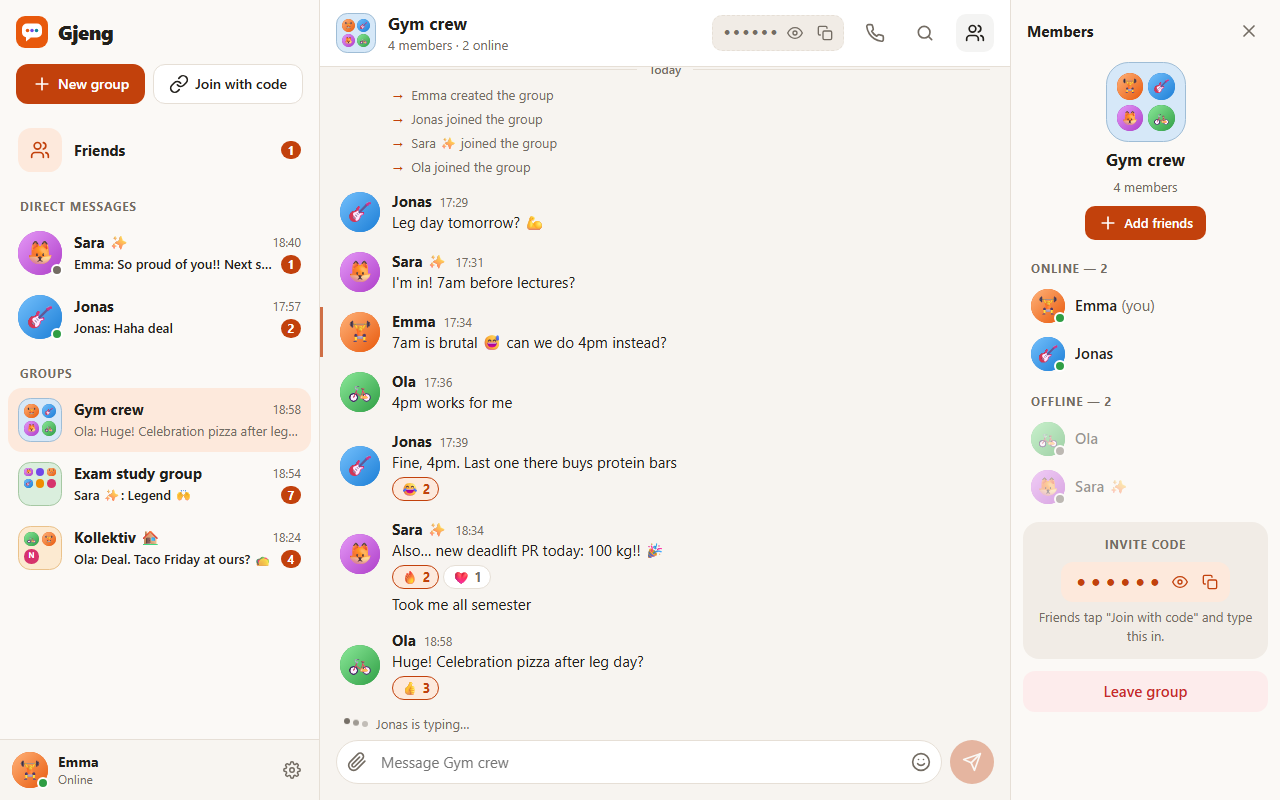
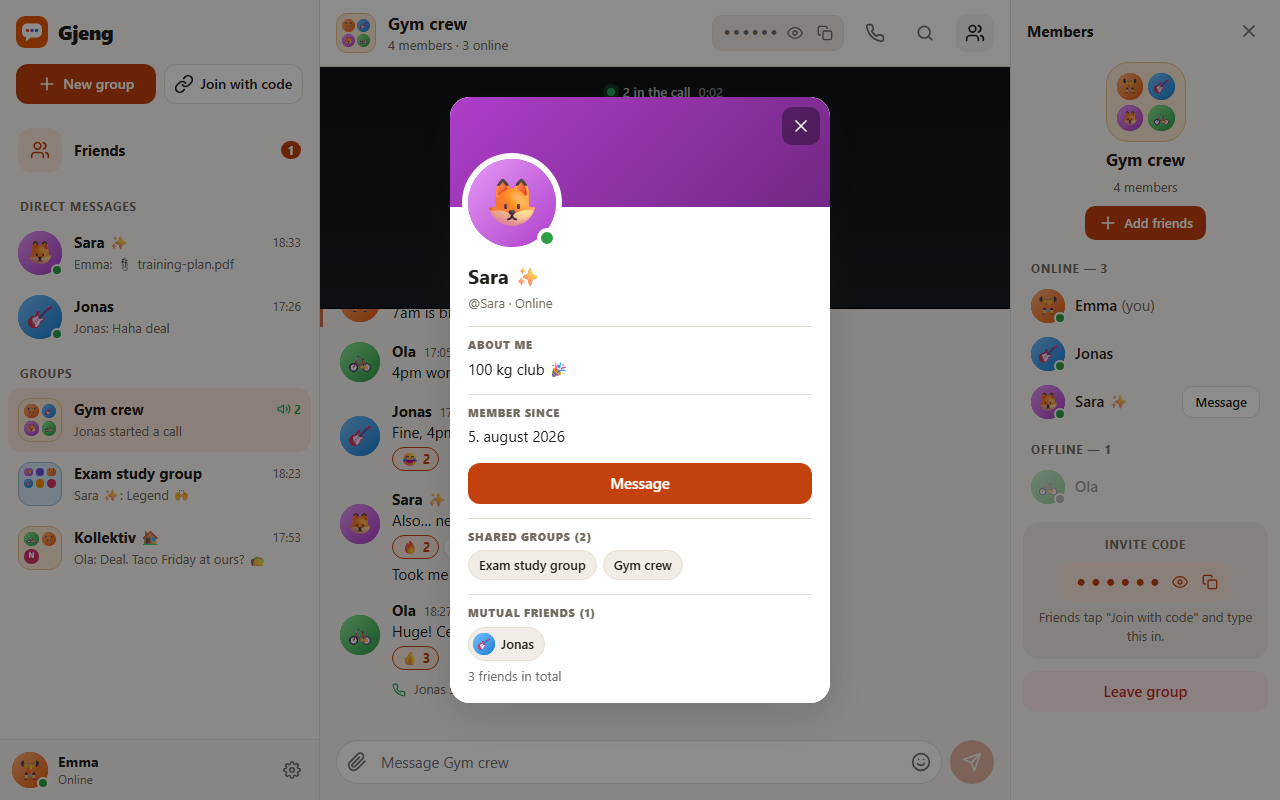
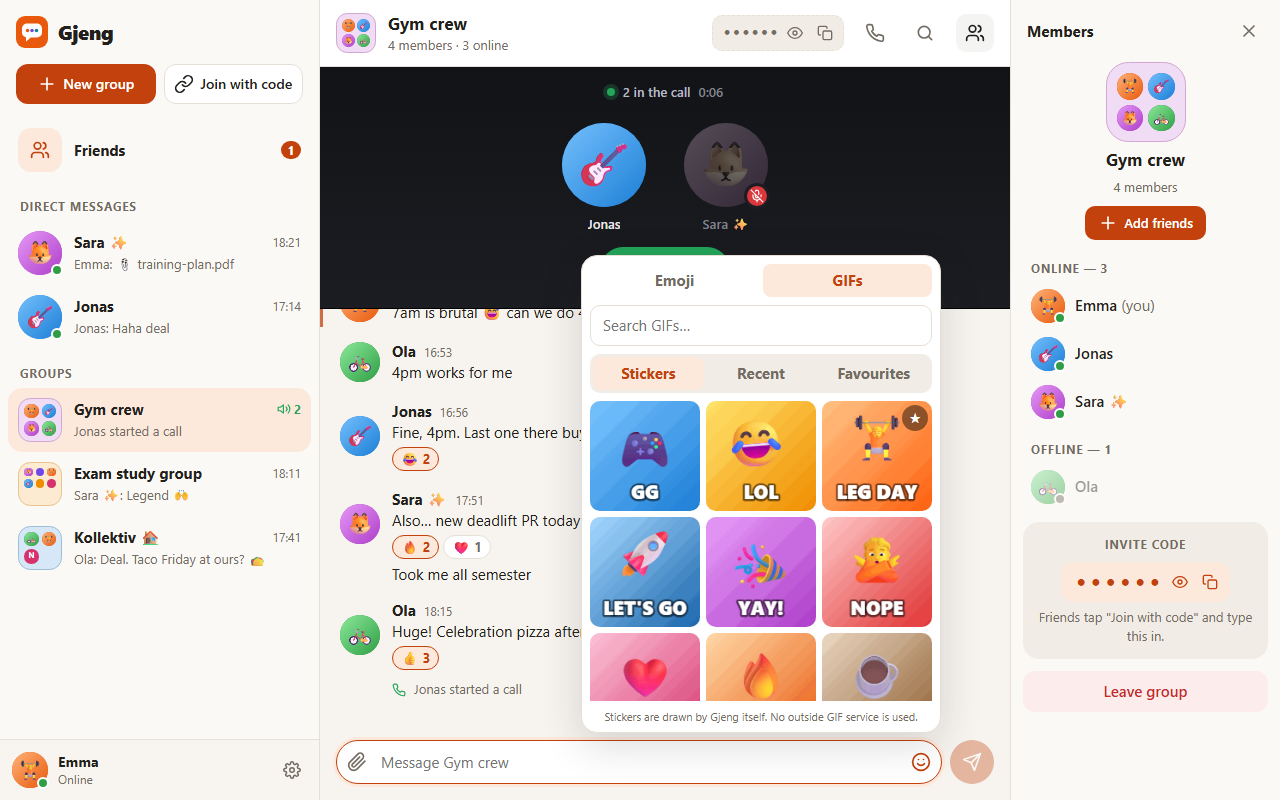
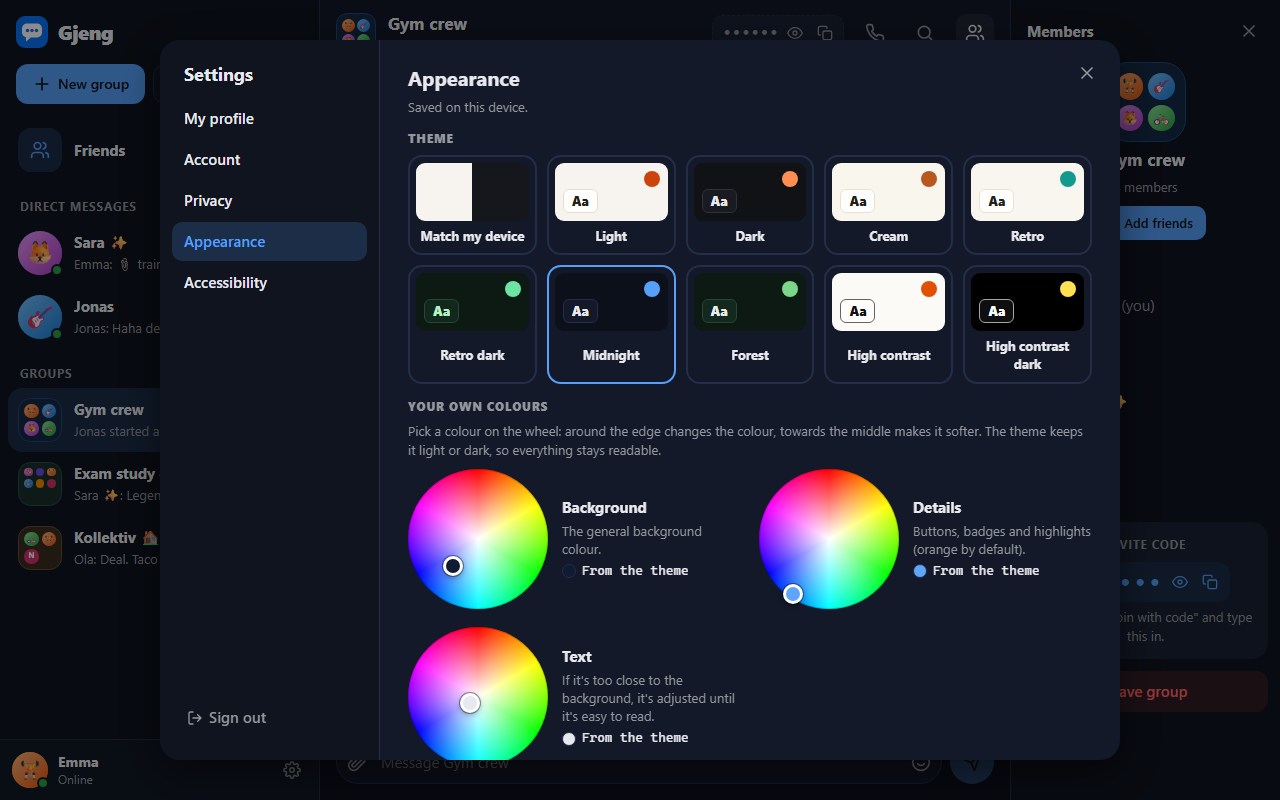
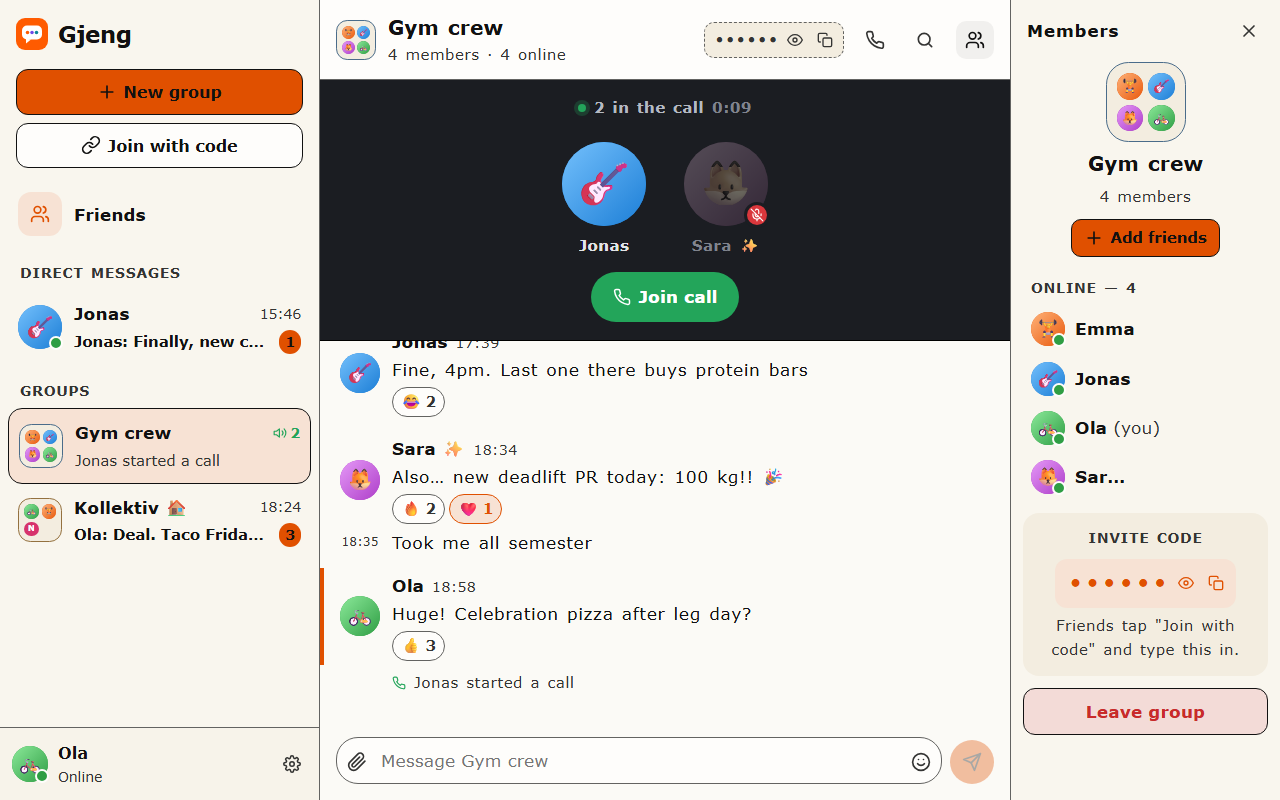
Build your own version
Yours goes up next to @smestad’s as a vibe off, and @smestad is told. Credit for the idea stays with them.
How it was madeThe prompt, tools, time, what’s left to make it real, links.
What’s left to make it real
Next: putting it online. Calls only work on the same network today, because calling across the internet needs a relay server (TURN), and I left those out since they're run by outside companies. Storage is one JSON file, with uploaded files inside it (1 MB each), so it needs a real database and file storage before more than a class uses it. Accounts have no email, so there's no password reset yet. In a call everyone connects to everyone, which is fine for about six people; bigger calls need a media server in the middle.
- Made with
- Claude Code, VS Code, React, Vite, Node.js, Socket.IO, WebRTC, Playwright, Vitest
- Took
- about a day
- How
- Claude Code (Opus 5.5) in VS Code. React and Vite in the browser, Node.js with Express and Socket.IO on the server, WebRTC for voice calls, and a JSON file for storage. I gave feedback after every round; Claude wrote the code, ran 62 unit tests and 30 Playwright browser tests, screenshotted every screen to find layout bugs, and kept a build log of each prompt and fix.
- The prompt
- Let's improve the settings with a few more options a user would want. Privacy: "Who can add me as a friend" (everyone / no one) and "Who can see my friends and mutual friends" (anyone / friends of friends / friends / no one). Appearance: a colour wheel for the general background colour that keeps the contrast between backgrounds but changes the base colour from grey to any colour, a similar wheel for the orange details, and one for text that forces enough contrast if the colours are too similar. Plus some base themes, for example dark, light, retro, retro dark and cream. Accessibility: a settings page, and also a clear "Enable accessibility mode" toggle when registering. (Lightly edited for spelling and clarity.)In Claude Code, VS Code, React, Vite, Node.js, Socket.IO, WebRTC, Playwright, VitestModel Claude Opus 5.5Took about a day
- Try it
- Read the code
Building on it rather than answering it? Post a remix and it links back here.
Share it
More builds
Post a buildI built a floral weekly planner that doubles as a desktop wallpaper
@ajofClaude1 commentMyCaddie — a simple golf club picker that adjusts for wind
@fredrikht3011ChatGpt 5.51 commentI built a study app that quizzes me on my own notes
@tobias_gpClaude1 commentI pivoted my restaurant review web app to Android after an hour, and it ran on my phone 30 minutes later
@stewiikltGoogle Antigravity1 commentWe built Circles, a social app where every hobby gets its own look
@bmoobjectClaude1 commentI built FlowSync, a local-first productivity app where my AI assistant proposes changes instead of making them
@covertClaude Code1 comment
Comments
Nothing yet. Ask @smestad how they got it to work, or say what you liked.
Sign in to comment — you come straight back here.