I built a week planner that tells me whether I'll actually make my deadlines, not just when they are
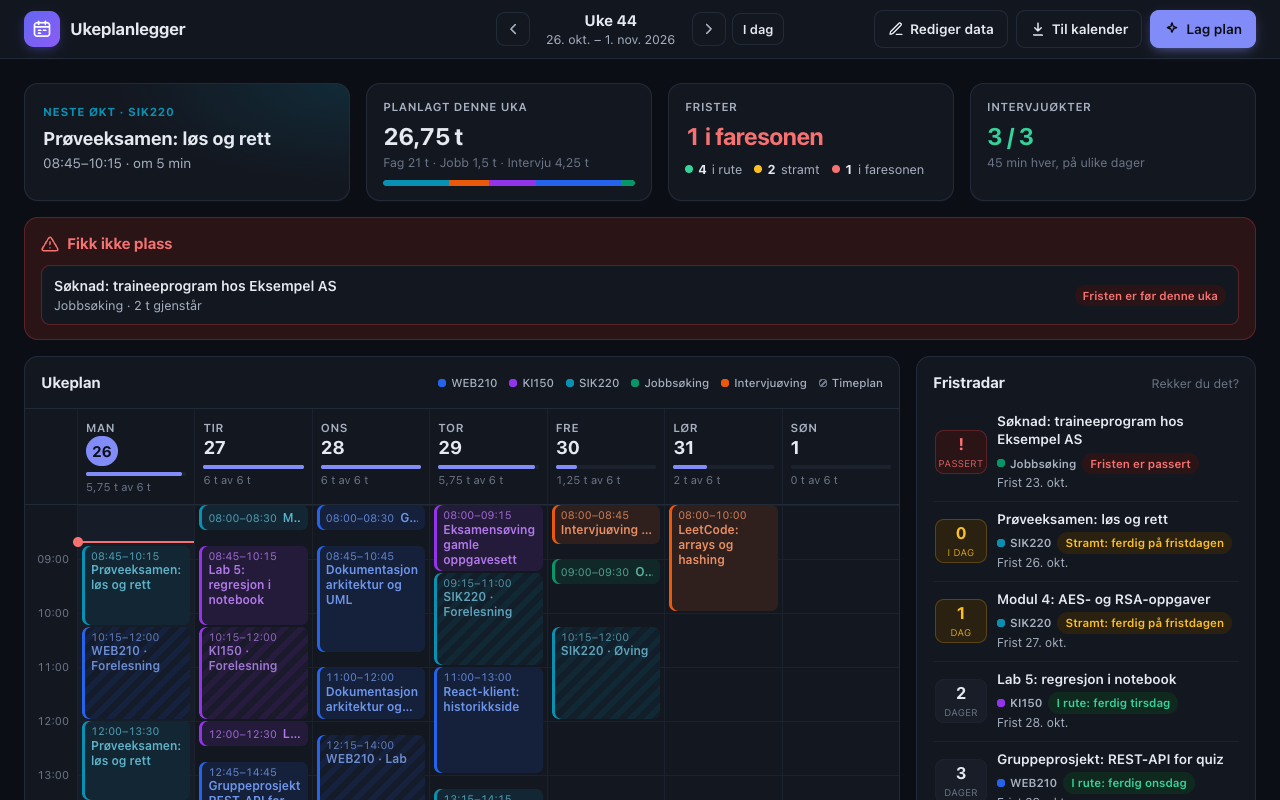
I asked Claude Code for a small static week planner: weekly lectures, tasks with estimates and deadlines, and an interview-practice goal, spread into the free time between lectures. Over a few rounds it grew into a dashboard with a deadline radar, a "next session" card and calendar export, set up for my own courses (shown here with made-up course codes). It runs on GitHub Pages with no backend.
What made it work
- The planning logic is one pure function with tests, so every rule change was checked in Node before the UI was touched
- Screenshots in a headless browser caught what the tests missed: all three interview sessions landing on Sunday, and tasks scheduled on days that had already passed
- Planning from "now" instead of from Monday is what made the deadline radar honest
The screens
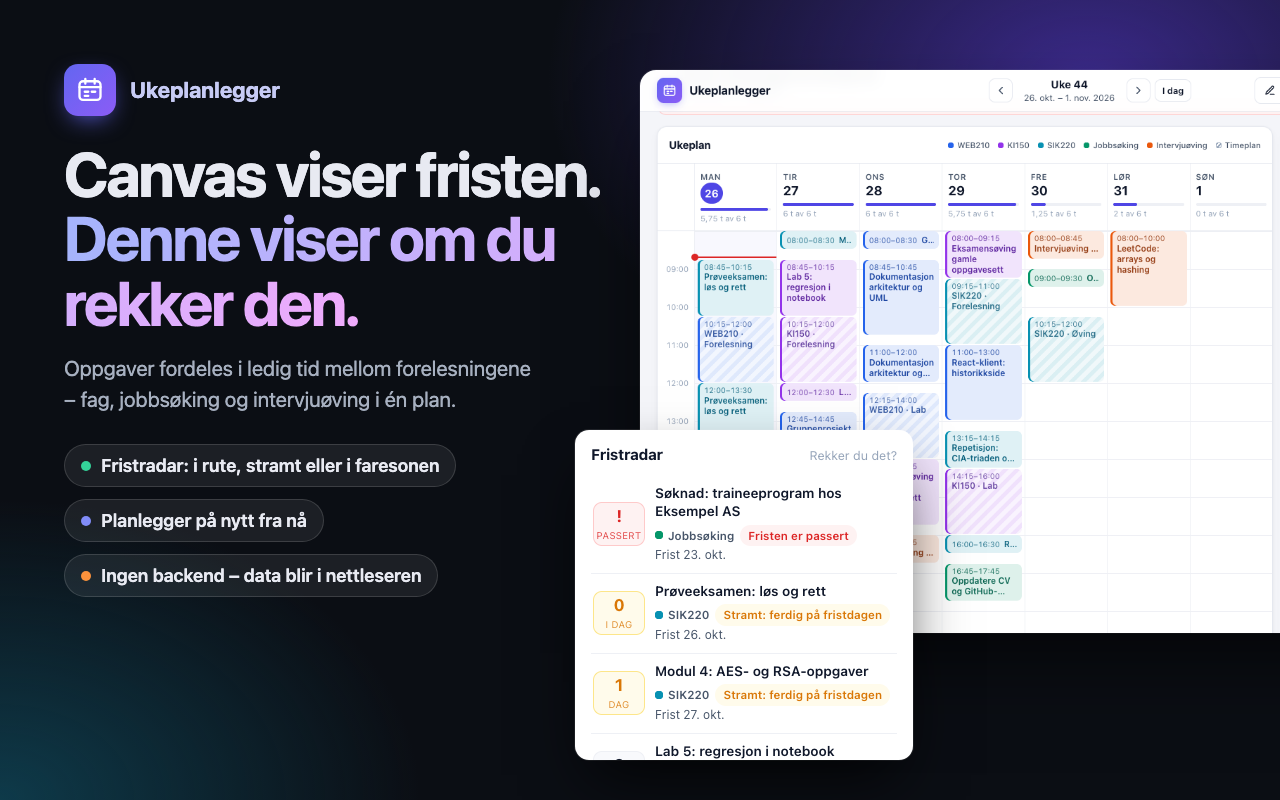
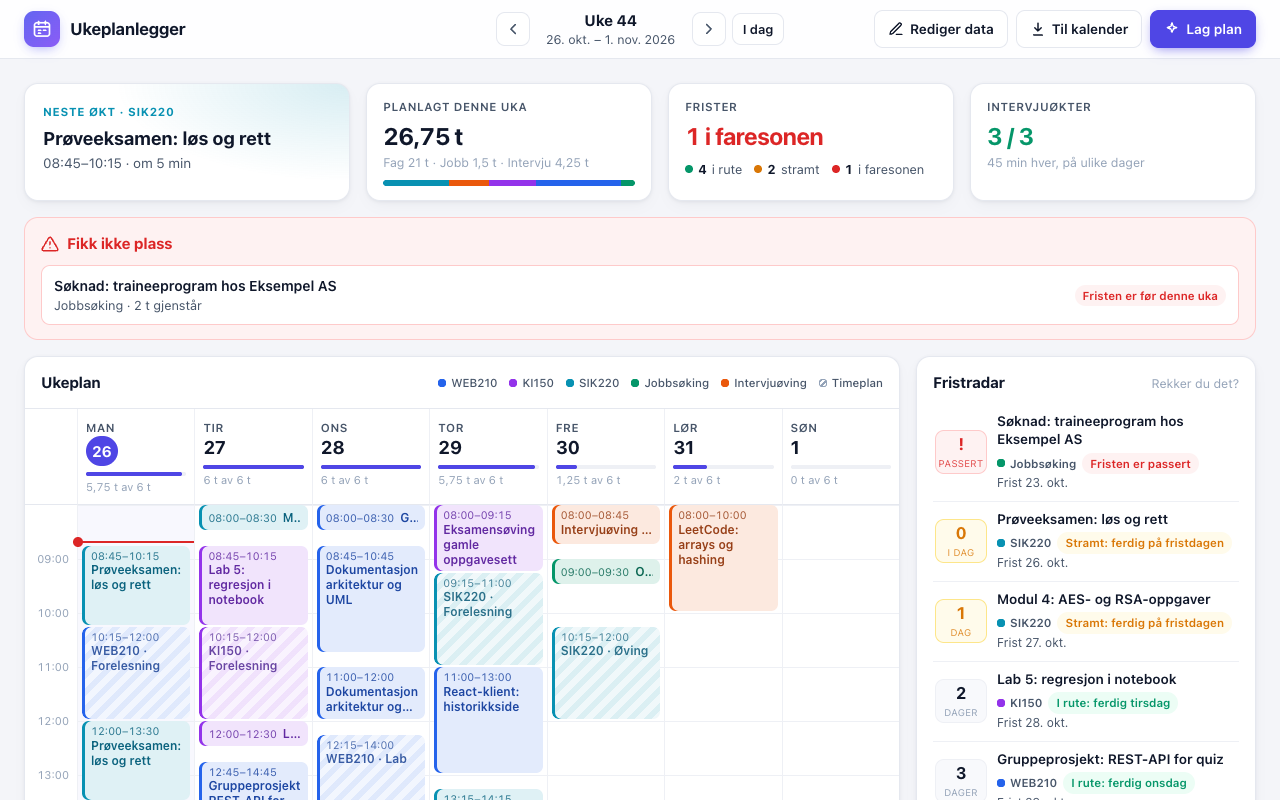
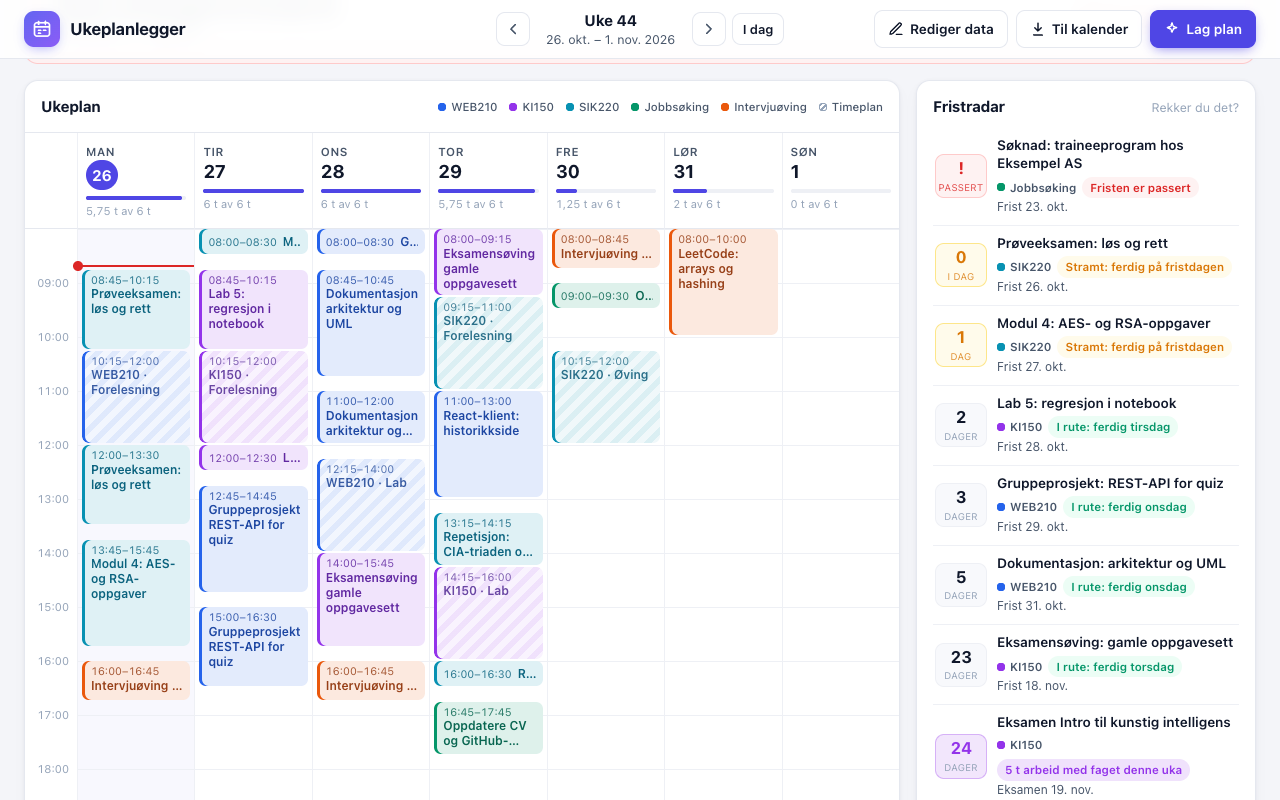
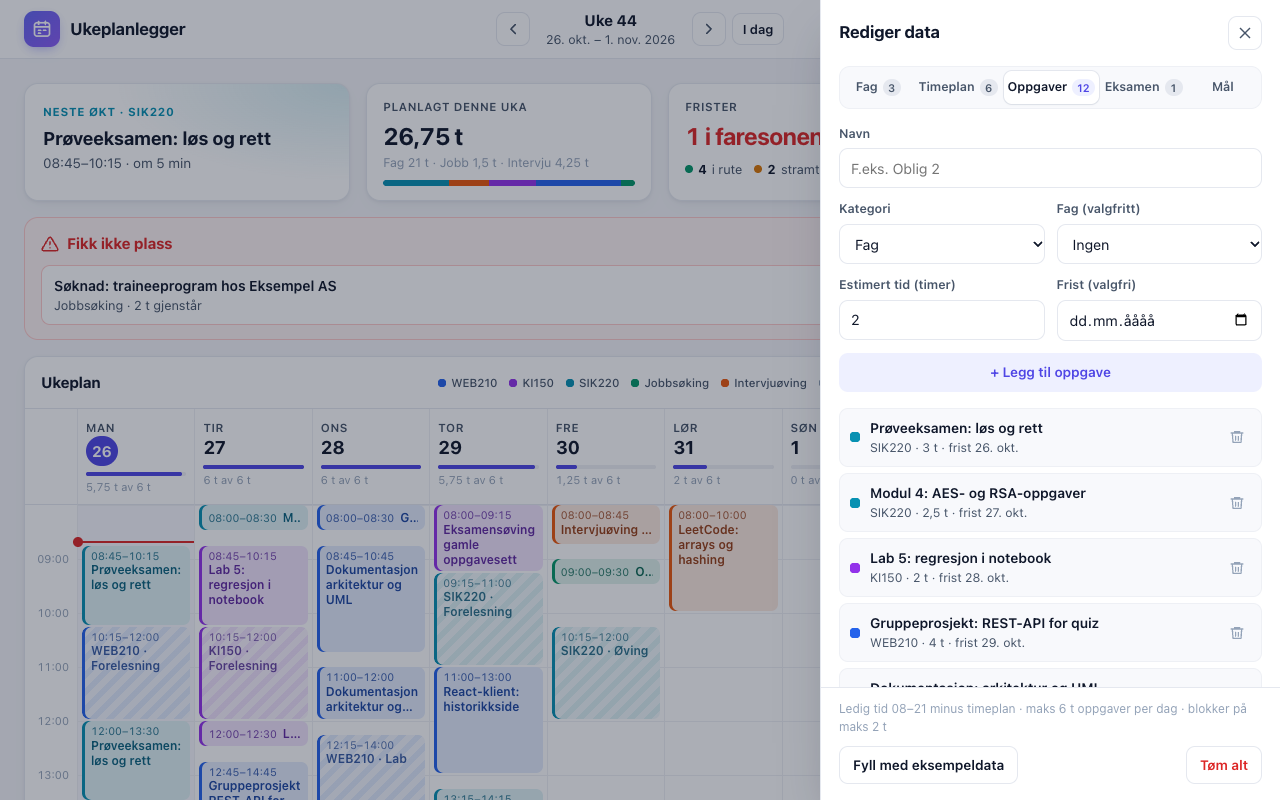
Try itLive at pesae1972.github.io.
Open ↗Build your own version
Yours goes up next to @pesae1927’s as a vibe off, and @pesae1927 is told. Credit for the idea stays with them.
How it was madeThe prompt, tools, what’s left to make it real, links.
What’s left to make it real
Next: real timetable import. Lecture times are typed in by hand today (the sample times are guesses), and an iCal feed from the school's timetable would remove that. Progress is all-or-nothing, so a half-finished 4-hour task is fully replanned each week. The scheduler is greedy, earliest slot first, with a soft reservation for interview sessions, and long-deadline tasks can still crowd out a short week. Data lives in one browser's localStorage, so there is no sync between phone and laptop.
- Made with
- Claude Code, Playwright, GitHub Pages
- How
- Claude Code (Claude Opus 5.5) in VS Code, plain HTML/CSS/JS with no framework or build step. The scheduling is one pure function (planner.js) with 14 Node tests; the UI is a separate layer on localStorage. Every feature was checked in a headless browser with Playwright before moving on, and it is deployed as a static site on GitHub Pages.
- The prompt
- Bygg en liten webapp for meg. Jeg vil ha et fungerende resultat, og du kan jobbe selvstendig. ## Hva appen gjør En ukeplanlegger. Jeg legger inn ukentlige forelesninger (navn, ukedag, start, slutt) og oppgaver (navn, kategori: Fag / Jobbsøking / Intervjuøving, estimert tid i timer, valgfri frist). Jeg setter også et ukemål for intervjuøving (for eksempel 3 økter på 45 min, uten frist). Når jeg trykker "Lag plan", fordeler appen oppgavene i ledige tidsrom mellom forelesningene og viser uken mandag-søndag som blokker per dag. ## Regler for planen - Uka starter mandag (pass på at getDay() gir søndag = 0). - Ledig tid per dag: 08:00-21:00 minus forelesninger. Maks 6 timer oppgaver per dag. Blokker på maks 2 timer. - Sorter etter frist (tidligst først), deretter oppgaver uten frist. - Intervjuøving spres på ulike dager. - Samme data gir alltid samme plan. Ingen tilfeldighet, ingen AI-kall. - Oppgaver som ikke får plass vises i en egen liste "Fikk ikke plass", og forsvinner aldri stille. - Legg inn en knapp "Fyll med eksempeldata" med fiktive data, for live demo. ## Tekniske krav - Skal publiseres på GitHub Pages som statisk app. Hovedfilen er index.html i rotmappen, med relative stier. - Data lagres i localStorage (med try/catch). Ingen backend, ingen innlogging, ingen API-nøkler, ingen persondata. Repoet er offentlig. - Hold planleggingslogikken i en egen ren funksjon (tar inn data, returnerer plan), slik at den kan testes uten nettleser. - Bruk vanlig HTML/CSS/JS som standard. Hvis du mener et bibliotek eller rammeverk gir klart bedre resultat, si hva og hvorfor før du bruker det, og velg kun noe som ikke krever et eget byggesteg for å fungere på GitHub Pages. - UI-tekst på norsk. Kode og kommentarer på engelsk. Pent, ryddig og mobilvennlig design. ## Arbeidsmåte 1. Lag en kort plan (filstruktur og 3-5 steg), og begynn deretter å bygge uten å vente på godkjenning av hvert steg. 2. Test planleggingsfunksjonen selv med et lite eksempel (inkludert søndag/mandag og tilfellet der oppgavene ikke får plass), og rett feil før du sier deg ferdig. 3. Ikke legg til funksjoner jeg ikke har bedt om. 4. Når du er ferdig: si i 3-5 linjer hva du bygde og hvordan jeg åpner og kjører appen, og nevn eventuelle antagelser du gjorde.In Claude Code, Playwright, GitHub PagesModel Claude Opus 5.5
- Try it
- Open the demoRead the code
Building on it rather than answering it? Post a remix and it links back here.
Share it
More builds
Post a buildI built a floral weekly planner that doubles as a desktop wallpaper
@ajofClaude1 commentMyCaddie — a simple golf club picker that adjusts for wind
@fredrikht3011ChatGpt 5.51 commentI built a study app that quizzes me on my own notes
@tobias_gpClaude1 commentI pivoted my restaurant review web app to Android after an hour, and it ran on my phone 30 minutes later
@stewiikltGoogle Antigravity1 commentWe built Circles, a social app where every hobby gets its own look
@bmoobjectClaude1 commentI built FlowSync, a local-first productivity app where my AI assistant proposes changes instead of making them
@covertClaude Code1 comment
Comments
Nothing yet. Ask @pesae1927 how they got it to work, or say what you liked.
Sign in to comment — you come straight back here.